

How to Protect Your Phone at the Beach
The beach is rough on phones in three different ways at once: fine sand gets into openings, saltwater is harsher than fresh water, and direct sun can push a device outside its normal temperature range. The safest setup treats those as separate problems.
Keep your phone off bare sand, out of prolonged direct sunlight and away from saltwater unless the manufacturer explicitly allows the exposure. If you need the phone close to the water, place it in a purpose-built waterproof enclosure before your hands, strap and device are already wet or sandy. If the phone is exposed to saltwater, follow the phone maker's cleaning instructions, let the device and connector dry completely, and do not charge it while moisture remains.
A phone can survive the splash and still have a bad beach day.
Modern phones can carry impressive ingress-protection ratings, but that does not make a bare phone the ideal beach setup. Ratings are measured under controlled conditions, water resistance can diminish with wear or damage, and manufacturers still tell users to limit exposure to saltwater, sand and prolonged heat.
The original article had the right three concerns: sand, saltwater and heat. But it generalized some iPhone-style temperature and rinse guidance to every phone, and it treated “rinse with fresh water” as a universal rule rather than manufacturer-specific care.
This version separates prevention, manufacturer-specific cleanup and wet-phone recovery so readers know what applies before, during and after a beach day.
Sand, salt and heat attack different parts of the phone.
Openings + surfaces
Fine grains can collect around ports, speaker openings, cases and moving parts. Apple tells users to clean dirt or sand promptly and not to use compressed air. Google's Pixel guidance likewise warns that fine particles such as sand and dirt can scratch or damage some devices.
Saltwater is not fresh water.
Apple tells users to minimize exposure to saltwater. Samsung specifically says that if a Galaxy device is exposed to saltwater, wash it with fresh water and dry it thoroughly because salt can accumulate around microphones, speakers and the USB connector.
Direct sun can exceed the safe range.
Apple and Google both publish normal ambient operating ranges that top out at 95°F / 35°C for many current phones. Direct sunlight can push a device hotter than the surrounding air, causing dimming, charging limits or shutdown behavior.
Create a shade zone and a water zone.
The simplest beach setup is physical separation: a dry shaded place for electronics and a separate wet zone for towels, swimsuits, bottles and sandy gear.
Use a sealed pouch, bag pocket, table, chair pocket or other clean surface instead of placing the device directly on the beach.
Apple specifically advises moving an overheated iPhone to a cooler place out of direct sunlight. Do not “cool” a hot phone by burying it under insulating towels in the sun.
A waterproof bag can still trap moisture that enters from a wet swimsuit, damp strap or leaking bottle.
Do the zipper, latch or pouch closure with clean, dry hands. Sand caught in a closure can undermine the protection you bought it for.
Do not turn the charging port into a sandbox.
Sand is not just a cosmetic problem. Fine particles can collect in ports, speaker openings, under cases and around buttons. Manufacturer cleaning guidance is conservative because aggressive cleaning can make the problem worse.
Apple says to wipe dust or dirt from iPhone with a soft, lint-free cloth, make sure the device is free of dust before opening the SIM tray, and avoid cleaning products or compressed air for this purpose.
Compressed air can force particles where you do not want them and is specifically discouraged in Apple's iPhone handling guidance.
Sand trapped between a rigid case and the phone can rub against the finish. Clean both surfaces before putting the case back on.
A clean port does not help if the cable connector itself is gritty, wet or salty.
A pouch or waterproof bag reduces how often the bare phone has to interact with sand, sunscreen-covered hands and wet towels.
“My phone is water resistant” is not the same as “ocean approved.”
Apple advises against swimming with iPhone and says to minimize exposure to saltwater. Google likewise states that water resistance is not permanent and that Pixel phones are not waterproof.
Samsung says saltwater-exposed Galaxy devices should be washed with fresh water and dried thoroughly. Apple says if a liquid other than water splashes on iPhone, rinse the affected area with tap water.
Do not plug a cable into a wet charging port. Apple warns that charging or connecting accessories while the connector is wet can cause damage.
Water in microphone or speaker openings can temporarily muffle audio, and salt residue can interfere with openings or connectors if it is left behind. If the audio sounds muted only while the phone is sealed inside its case, see why a waterproof phone case can muffle sound to distinguish enclosure effects from water or residue in the device itself.
The air can be 85°F while the phone itself gets much hotter.
Apple says iPhone is designed for ambient use from 32°F to 95°F / 0°C to 35°C and warns that very hot conditions can permanently shorten battery life. Google's published Pixel guidance uses the same normal ambient range for many models.
A shaded bag, chair pocket or ventilated shaded location is safer than leaving the phone face-up on a towel.
Apple can slow or pause charging when iPhone is too warm. Let the device return to a normal temperature before pushing more heat into the battery.
Move the phone to a cooler shaded place. Apple advises avoiding dramatic temperature or humidity changes, so a freezer or ice pack against a hot phone is a poor shortcut.
On an overheated iPhone, the display may dim, charging may stop, apps may close or a temperature warning may appear while the device protects itself.
IP68 is useful information, not permission to treat the phone like dive gear.
Pouch for phone-first use. Bag for the full valuables kit.
Beach protection works better when the enclosure matches the job. A transparent phone pouch and a waterproof crossbody solve related but different problems. For beach and snorkel gear options beyond a phone pouch, see the waterproof bags for snorkeling and beach trips guide.
Waterproof phone pouch
Best when you want to keep the phone sealed while still checking the screen or using the camera.
- Lowest-profile solution
- Some models allow touchscreen use
- Some models are designed to float
- Usually limited room for a full wallet and bulky key fob
Waterproof crossbody
Best when the phone travels with wallet, keys, sunglasses, cards or other small items you do not want left on the towel.
- One protected place for multiple valuables
- Hands-free carry on the beach
- Keeps the phone away from loose sand
- Usually requires opening the bag to operate the phone
Drying is a process, not a bowl of rice.
Most damage starts with convenience.
Skip these habits
- Setting the bare phone directly on sand
- Leaving it face-up in prolonged direct sun
- Assuming IP68 means unlimited saltwater use
- Charging while the connector is wet
- Blasting sand from ports with compressed air
- Using a freezer, ice or extreme temperature swing to cool it
- Putting a wet iPhone in rice
- Sealing a damp swimsuit beside the phone
Use these habits instead
- Keep the phone in a clean shaded dry zone
- Use a rated enclosure before approaching the water
- Inspect the closure for sand before sealing
- Follow your phone maker's saltwater cleanup guidance
- Let connectors dry with natural airflow
- Move an overheated phone to a cooler shaded place
- Keep wet gear separate from electronics
- Check the enclosure before every swim or paddle
The 30-second beach phone check.
Phone protection checklist
Beach phone protection questions.
How do I protect my phone from sand at the beach?
Keep it off bare sand and inside a clean pouch, pocket or bag when you are not using it. If sand or dirt gets on the phone, follow the manufacturer’s cleaning directions. Apple recommends a soft, lint-free cloth and specifically says not to use compressed air for dust or dirt.
Can I take an IP68 phone into the ocean?
Do not assume so. Apple tells iPhone users to avoid swimming with the device and minimize exposure to saltwater even on water-resistant models. Google says Pixel water resistance is not permanent and the devices are not waterproof. Use the exact guidance for your phone model.
What should I do if my phone gets saltwater on it?
Follow the phone manufacturer's care instructions. Samsung currently says saltwater-exposed Galaxy devices should be washed with fresh water and dried thoroughly. Apple says that if a liquid other than water splashes on iPhone, rinse the affected area with tap water and then dry the device as directed.
How hot is too hot for a phone at the beach?
The number depends on the device. Apple publishes a normal ambient operating range of 32°F to 95°F / 0°C to 35°C for iPhone, and Google publishes the same general range for many Pixel phones. Direct sunlight can make the phone itself hotter than the surrounding air.
Should I put an overheated phone in a cooler?
No. Move it to a cooler shaded place and allow it to cool gradually. Apple warns against dramatic temperature and humidity changes, and direct contact with ice or a freezer can create condensation and thermal stress.
Does putting a wet phone in rice work?
Apple explicitly says not to put iPhone in a bag of rice because small particles can damage the device. For a wet phone, follow the manufacturer's drying guidance, keep cables disconnected while the connector is wet and use normal airflow rather than external heat.
Protect the rest of your beach-day setup.
More field guides for dry phones, safer valuables and a simpler day by the water.

Waterproof crossbody bags for the beach
Compare options for sandy and wet days.

Keep valuables safe at the beach
Practical ways to safeguard your small essentials.

Why phones overheat inside waterproof cases
Understand heat buildup and how to reduce risk.

Why waterproof phone cases fog up
Identify condensation and manage moisture.
Also read: Where to put your keys, phone and wallet when surfing →
Give the whole valuables kit one waterproof place.
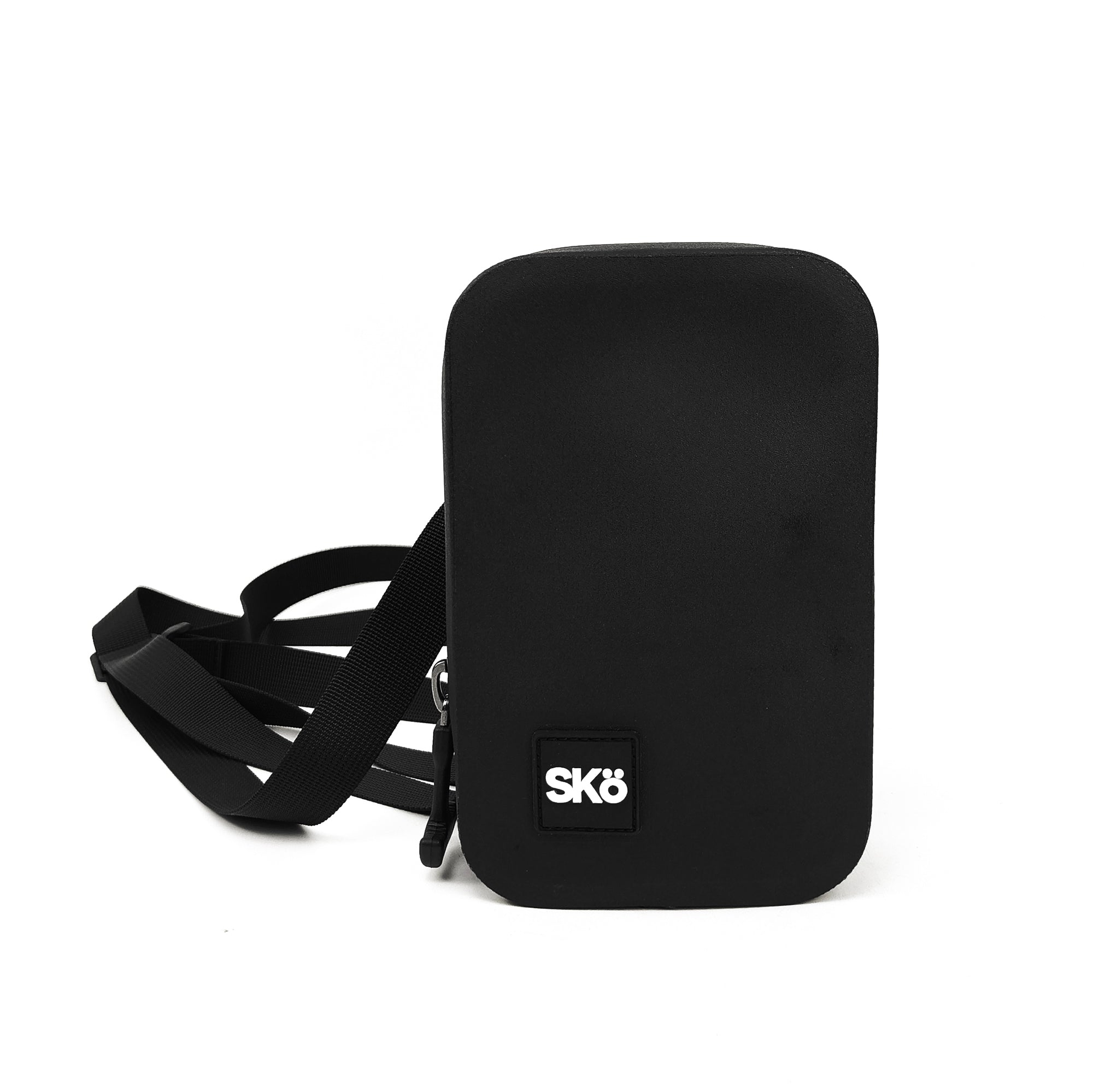
The SKÖ Waterproof Crossbody is designed for the phone, wallet, keys, cards and other small valuables people do not want sitting loose on a beach towel. It is a multi-item valuables bag, not a transparent phone pouch, so you open the bag when you want to use the phone.
SKÖ currently publishes an IP68 rating, approximately 1.14 L capacity, 1680D TPU construction, a waterproof zipper, dimensions of 7.5 × 4.7 × 2 inches and an approximate weight of 13 oz. The current product page describes the finished bag as waterproof and submersible when the zipper is fully and properly closed.
SKÖ does not currently publish one universal immersion depth or duration for the Crossbody, so this guide does not invent a number from the IP68 label alone.
Sources
- Apple Support, About Splash, Water, and Dust Resistance of iPhone 7 and Later
- Apple Support, Important Handling Information for iPhone
- Apple Support, If You See a Liquid-Detection Alert on iPhone
- Apple Support, If Your iPhone or iPad Gets Too Hot or Too Cold
- Samsung Support, Galaxy Phones and Tablets Dust and Water Resistance
- Google Pixel Help, Pixel Phone Hardware Technical Specifications
- SKÖ Gear, Watersports Product Specifications
- SKÖ Gear, Waterproof Crossbody
Explore more SKÖ guides
Protect your phone, carry valuables securely and prepare for real beach conditions.
 Beach Day Essentials: Complete Packing Checklist